



Running translation projects well comes down to a repeatable process: define scope, set up your team and assets, prepare the content, run and track production, then review and close. Teams that work this way ship faster and argue less than teams running translation through email and spreadsheets.
This article shows you how to run translation as a repeatable process: the five stages a project moves through, who owns each role, the KPIs that tell you it is working, and the point where a system earns its place. It is written for the people who have to keep professional translation moving across a busy organisation.
TL;DR
|
What running a translation project actually involves
Running a translation project means coordinating people, content, tools, and deadlines so work arrives accurate, consistent, and on time. It covers scope, set-up, preparation, production, review, and close, which is a long way from emailing files to a translator and hoping.
When teams handle this ad hoc, the same failures recur. Files drift into multiple versions, launches stall while content waits for approval, terminology varies between markets, and nobody can show an audit trail when a stakeholder asks what happened.
The five stages of a translation project
Every translation project moves through five stages, and naming them is how you stop work falling between steps. Scope and goals, set-up and assets, content preparation, production and tracking, then review, delivery, and close.
Stage 1: define scope and goals
Start with a written scope, because it prevents most downstream argument. Set out:
- content types (manuals, marketing pages, contracts, training material);
- target languages and regional variants;
- timeline, budget, and the quality bar;
- regulatory or security constraints; and
- how you will measure success.
Stage 2: set up the team and assets
Confirm who does the work, agree where people will communicate, and connect the linguistic assets before anything goes out. Link each job to a shared termbase, a style guide, and translation memory, so translators and reviewers work from the same source of truth. Strong terminology management is what keeps tone and terms consistent across markets.
Stage 3: prepare the content
Good preparation saves the most rework later. Send clean, editable, localisation-ready files, mark translatable and non-translatable content clearly, remove hardcoded text from design files, and avoid scans or images of text wherever you can.
Stage 4: run and track production
Break the work into tasks with named owners, deadlines, and dependencies, then monitor progress rather than waiting for problems to surface. Enforce the glossary, memory, and style guide inside the tool, and turn on automated checks for numbers, tags, and terminology.
Some content can take a hybrid route, machine translation followed by human review, which we cover in our article on machine translation and AI.
Stage 5: review, deliver, and close
Finish with an independent revision and, where the content needs it, in-country or subject-matter review. Run layout checks for text expansion and right-to-left scripts, deliver in the required formats, then archive the project and update the memory and termbase so the next cycle starts from a stronger baseline. The independent-revision step follows the four-eyes principle set out in ISO 17100.
A worked example: one company’s weekly content cycle
Here is the process applied to a real-shaped scenario. A mid-size company with marketing, product, and support teams publishes into five European markets on a weekly cycle.
Marketing briefs campaign copy on Monday with the brand style guide attached; the project manager scopes and assigns it. Product strings and support articles join the same batch, each routed by content type.
Translators work against the shared memory and termbase, revisers check independently, and in-country reviewers sign off market fit. The project manager tracks all five languages on one board, and approved segments feed back into the memory for next week.
Who does what: roles in a translation project
Most translation delays come from unclear ownership, so name the roles and what each one owns before the project starts. A small responsibility map keeps work from falling between people.
| Role | Owns | Hands off to |
|---|---|---|
| Project manager | scope, timeline, budget, communication, risk | assigns all roles |
| Translator | first translation, following glossary and style guide | reviser |
| Reviser | independent linguistic check (the four-eyes principle) | in-country reviewer or PM |
| In-country reviewer | market fit, tone, local accuracy | PM |
| DTP / localisation engineer | file preparation, layout, complex formats | PM for delivery |
| Requester / stakeholder | brief, source files, final approval | PM |
In smaller teams one person wears several of these hats, and that works as long as the responsibilities are named rather than assumed.
The KPIs that tell you a translation programme is working
Track a handful of KPIs so you can see where projects slow down and show the programme is improving, rather than relying on a sense that everyone is busy. Six measures cover most of it.
| KPI | What it tells you | Direction you want |
|---|---|---|
| Turnaround time per language | where delivery slows, by language | down, then stable |
| Reviewer cycle time | whether review is the bottleneck | down |
| On-time delivery rate | whether the process is predictable | up |
| Translation memory reuse | how much you stop paying to re-translate | up |
| Workflow automation rate | how much manual admin the system absorbs | up |
| Cost per word trend | whether efficiency is improving over time | down, then stable |
Read them together rather than singly. Enterprise teams that move to dynamic, automated workflows have cut cost and turnaround time by up to 50% (Smartling, 2026), and shared memory and glossaries lift translator productivity by around 30% (Lokalise, 2025). For the pricing side of these numbers, see our article on what professional translation costs.
Common problems, and how to fix them
The same handful of problems sink most translation projects, and each has a practical fix.
| Problem | Fix |
|---|---|
| Conflicting reviewer feedback | one named final approver per language; comments kept in one place |
| Source file changes mid-project | lock the source; log changes; adjust scope, cost, and timeline |
| Layout breaks after translation | localisation-ready formats; DTP in the workflow; plan for text expansion |
| Slow in-country review | clear guidance, realistic deadlines, and visible review status |
The efficiency case for a structured process
A structured, centralised process measurably cuts cost and turnaround, because people stop spending their time on admin, chasing, and rework. The gains are large enough to show up in the numbers: up to half the cost and time in some enterprise programmes (Smartling, 2026).
Centralising also removes the quieter losses. Teams stop duplicating work, version chaos goes away, and project status becomes something you can see rather than something you have to chase. Consistent language matters commercially too: 76% of consumers say they are more likely to buy when information is in their own language (CSA Research).
When a translation management system earns its place
A manual process works until volume, languages, or stakeholders outgrow it. That is the point a translation management system earns its place, by centralising files, assets, workflows, and reporting.
Signs you have outgrown a manual process:
- several languages on tight, repeating cycles;
- multiple departments requesting translation independently;
- no single source of truth for files and status; and
- no audit trail when something goes wrong.
A system handles the routine, task assignment, file handling, quote calculation, status, and reporting, so your people spend their time on decisions instead of logistics. Our SmartDesk is our own answer to this, and our our SmartConnect links a CMS, PIM, or shop system to us so content moves automatically rather than by hand. High-risk material, such as technical documentation, can run on a stricter review path within the same system.
What translation management looks like inside a system
In practice, a managed process runs as one connected flow: a request becomes a quote, the quote becomes an order, the order produces an invoice, and every file and status sits in one place rather than in email. The screenshots below show that flow in our own SmartDesk portal.
The dashboard is the starting point. It shows every request, quote, and order grouped by status, so you can see what is in preparation, pending, or in production at a glance instead of asking a project manager.
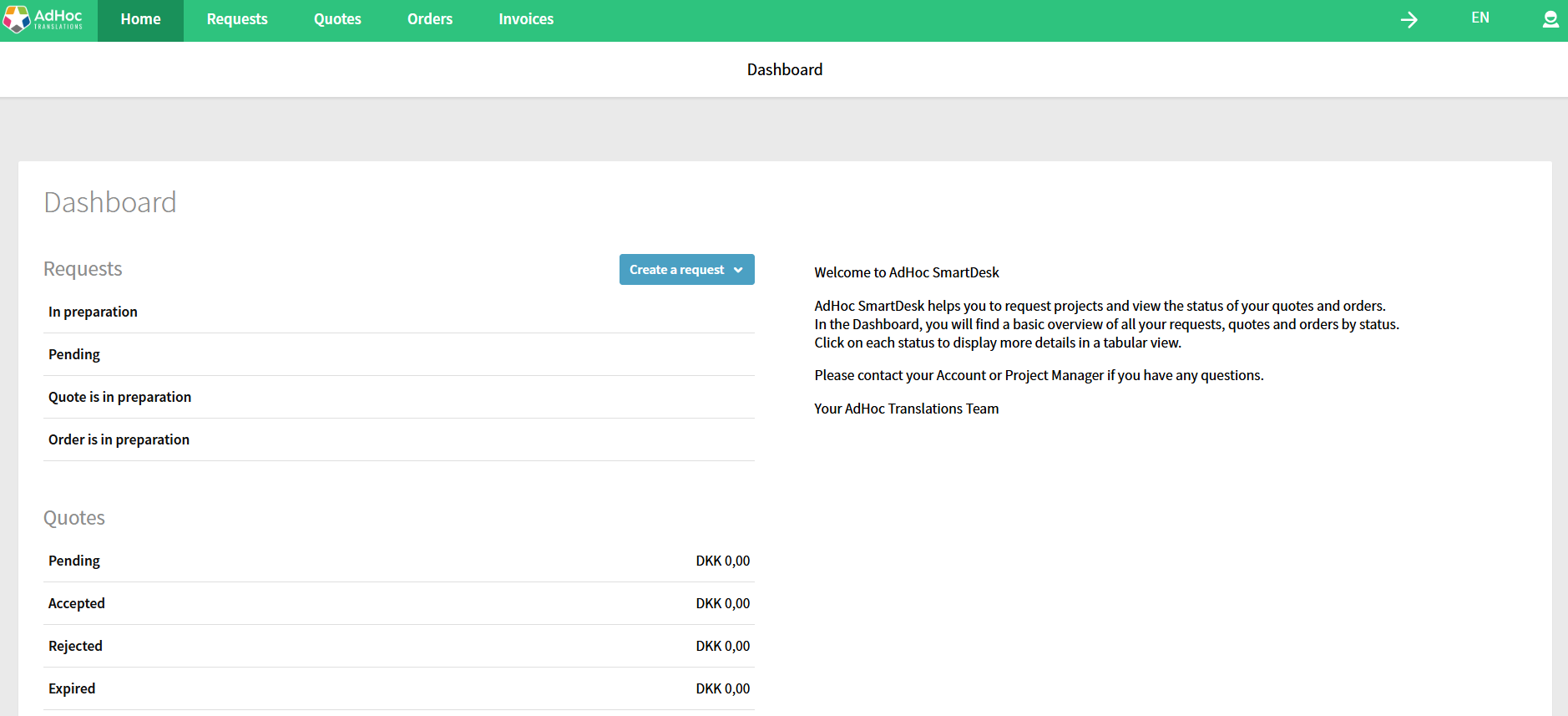
The SmartDesk dashboard groups every request, quote, and order by status, so a content owner sees the whole pipeline in one view.
Request: you tell us what you need
A project begins when you raise a request in the portal: source and target languages, the content, the deadline, and any reference material. There is no briefing email to chase, because the request captures the brief in a structured form.
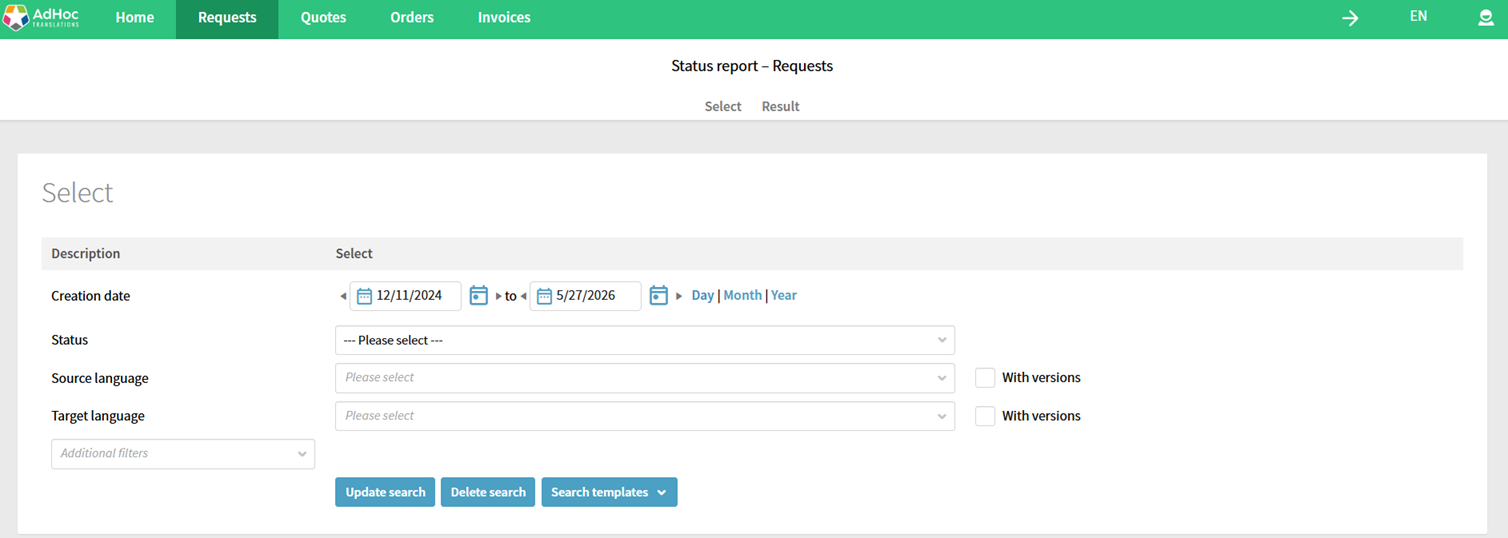
Raising a request: source and target languages, dates, and status are captured in one structured form.
Quote: the system prices it
The request becomes a quote, priced from a CAT-tool analysis of the content. That analysis is where translation memory shows up in the price: new words, fuzzy matches, and repetitions are counted automatically, so the quote reflects what you actually need translated rather than a flat per-word figure.
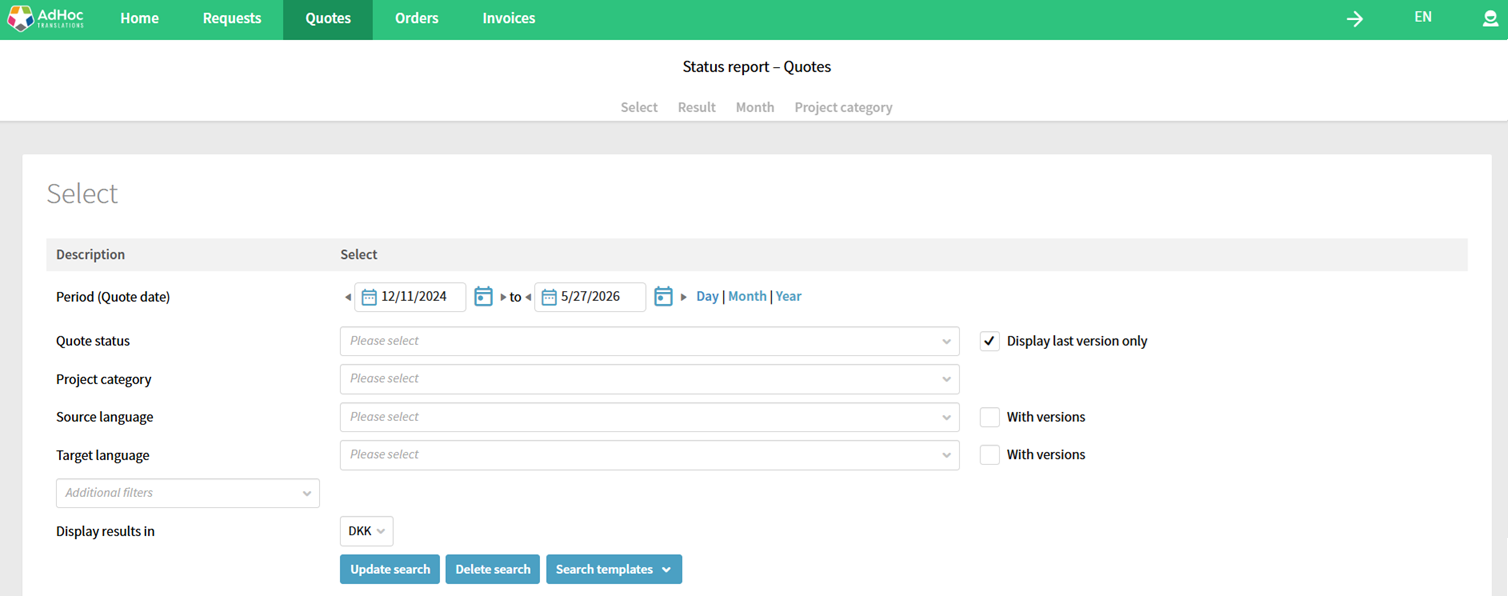
Quotes are generated from the request, with version history and project category retained so you can compare like for like.
Order: the work runs on a tracked workflow
Once you approve the quote, it becomes an order, and the work moves through a defined job chain: translation, then independent revision, then any in-country review, with each step starting as the previous one finishes. You can track progress by language, and the order report shows on-time delivery, so lateness is visible while there is still time to act.
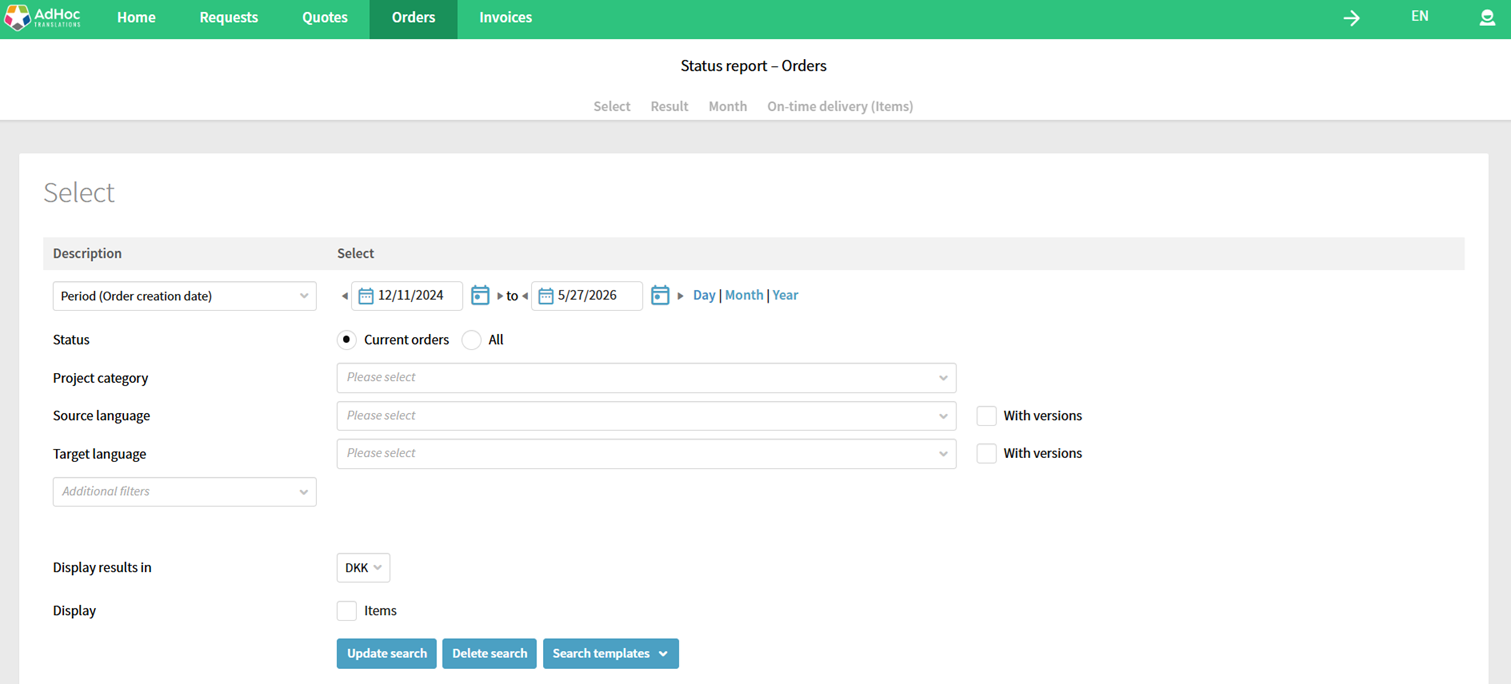
The orders report tracks projects by language and includes an on-time-delivery view, so delivery performance is measured, not guessed.
Files: one place, no attachments
Source files, reference material, and finished translations live in the portal rather than in scattered email threads. Everyone works from the current version, which removes the version-drift problem that derails manual projects.
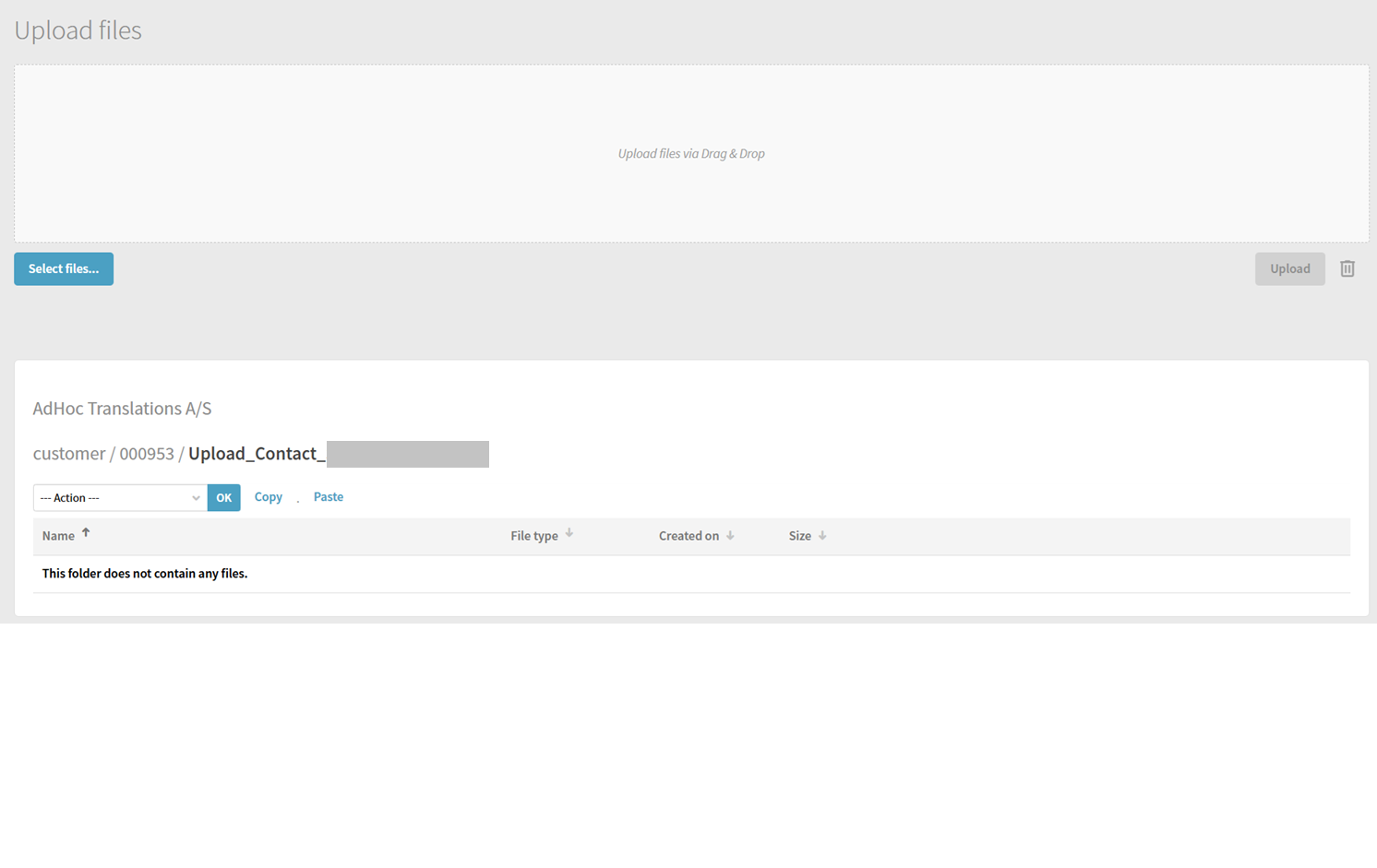
The file manager keeps every project’s files in one place, so there is a single current version rather than competing email attachments. Contact name redacted.
Invoices and reporting: the audit trail
Completed orders flow through to invoicing and reporting, so spend, volume, and translation-memory savings are visible across the programme. This is the audit trail a manual, email-based process cannot produce.
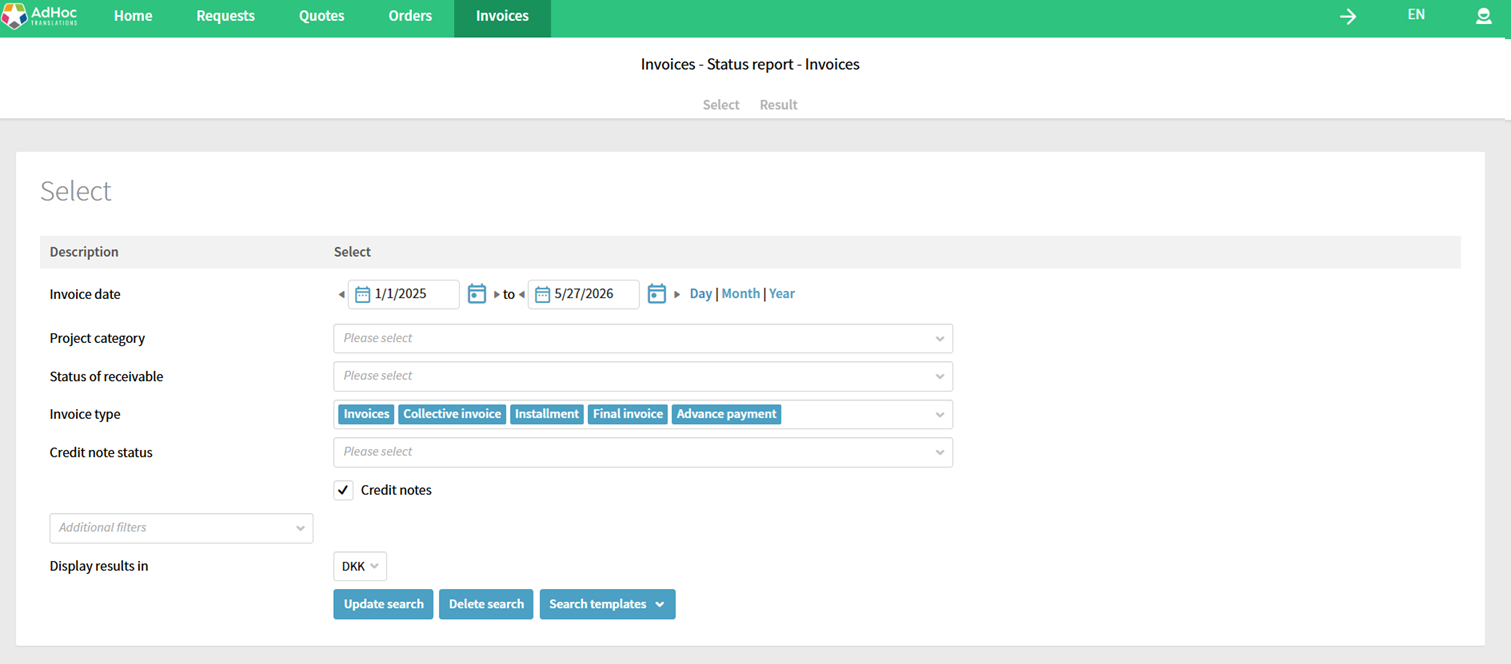
Invoice and receivables reporting gives a complete financial trail across the programme. Figures shown are placeholders.
The automation and integrations that make it work
A system earns its keep through what it does without anyone touching it. Three mechanisms do most of the work.
- Automatic quote generation. The portal prices a request from a CAT-tool analysis of the content, counting new words, matches, and repetitions, so quoting is near-instant rather than a manual calculation.
- Job-chain automation. Each step in the workflow starts the next automatically: when translation is delivered, revision begins, then review, so no one has to manually hand work along the chain.
- Real-time status. A status view shows where every job sits, so project managers intervene on the few that need it rather than chasing all of them.
Integration is the other half. Our SmartConnect links the portal to a client CMS, PIM, or shop system so content moves in and out automatically, and the workflow connects to the CAT tools translators actually use, Phrase and Trados, so terminology and translation memory apply consistently. AI-assisted steps, such as machine translation followed by human post-editing, run inside the same workflow.
How we can help at AdHoc Translations
We run translation as a managed process: native-language linguists, a defined review workflow, and one place to brief, track, and report, so your teams brief once and get on with their work.
We map your content, languages, and review steps to a repeatable workflow. We hold ISO 17100 and ISO 18587, our project teams keep terminology and memory consistent, and we work across 99+ languages with 5,500+ linguists, leaning on people, process, and technology.
If your projects have outgrown email and spreadsheets, book a workflow review.
Frequently asked questions about translation project management
What does a translation project manager do?
A translation project manager coordinates the whole lifecycle of a translation project: scoping, scheduling, assigning work, tracking quality, managing risk, and communicating with stakeholders. They own the timeline and budget, and they keep the workflow moving so nothing falls between people. In smaller teams the role is often combined with other content or localisation responsibilities.
What is the difference between a TMS and a CAT tool?
A translation management system (TMS) manages workflow, assignments, files, and reporting across projects. A computer-assisted translation (CAT) tool is the translator’s workbench, with translation memory, terminology, and segment-level editing. Some platforms combine both, but the jobs are distinct: the TMS runs the process, the CAT tool supports the translation itself.
How do you keep quality consistent across languages?
Consistency comes from shared assets and a defined review step. Give every project a shared glossary, termbase, and style guide, run automated quality checks in the tool, and add an independent revision by a second linguist. For regulated or high-stakes content, add in-country or subject-matter review before sign-off.
What KPIs should you track for translation?
The most useful measures are turnaround time per language, reviewer cycle time, on-time delivery rate, translation memory reuse, workflow automation rate, and the cost-per-word trend. Read them together rather than singly, because they show where projects slow down and whether efficiency is improving over time.
How do you stop source files changing mid-project?
Lock the source file once the project begins, and put a controlled change process in place. If a change is genuinely necessary, log what changed, notify everyone involved, and adjust scope, cost, and timeline accordingly. The aim is no untracked mid-project edits, which are a common cause of rework.
When do you need a translation management system?
You need a system once volume, languages, or stakeholders outgrow what a manual process can handle. The signs are several languages on tight cycles, multiple departments requesting independently, no single source of truth, and no audit trail. Below that threshold, a disciplined manual process with shared assets can be enough.
Sources
- Smartling. How to measure, prove, and maximize translation ROI (workflow efficiency, turnaround, KPI framing). 2026. smartling.com.
- Lokalise. What is a translation management system (productivity uplift from TM, glossaries, automation). 2025. lokalise.com.
- CSA Research. Consumers prefer their own language (own-language purchase preference). csa-research.com.
- ISO 17100:2015 (Translation services. Requirements for translation services). International Organization for Standardization. iso.org.